Integrations
Tests start where your team works.
Connect GitHub, Slack and Jira. A comment, a new release or a Jira status change starts a test, and the report comes back to the same place with its video.
What connects today
- GitHub
- Slack
- Jira
GitHub
Four ways a test starts on GitHub
You connect a repo and pick what should run. After that, the test starts by itself at the moments you choose.
Comment
Ask in a comment
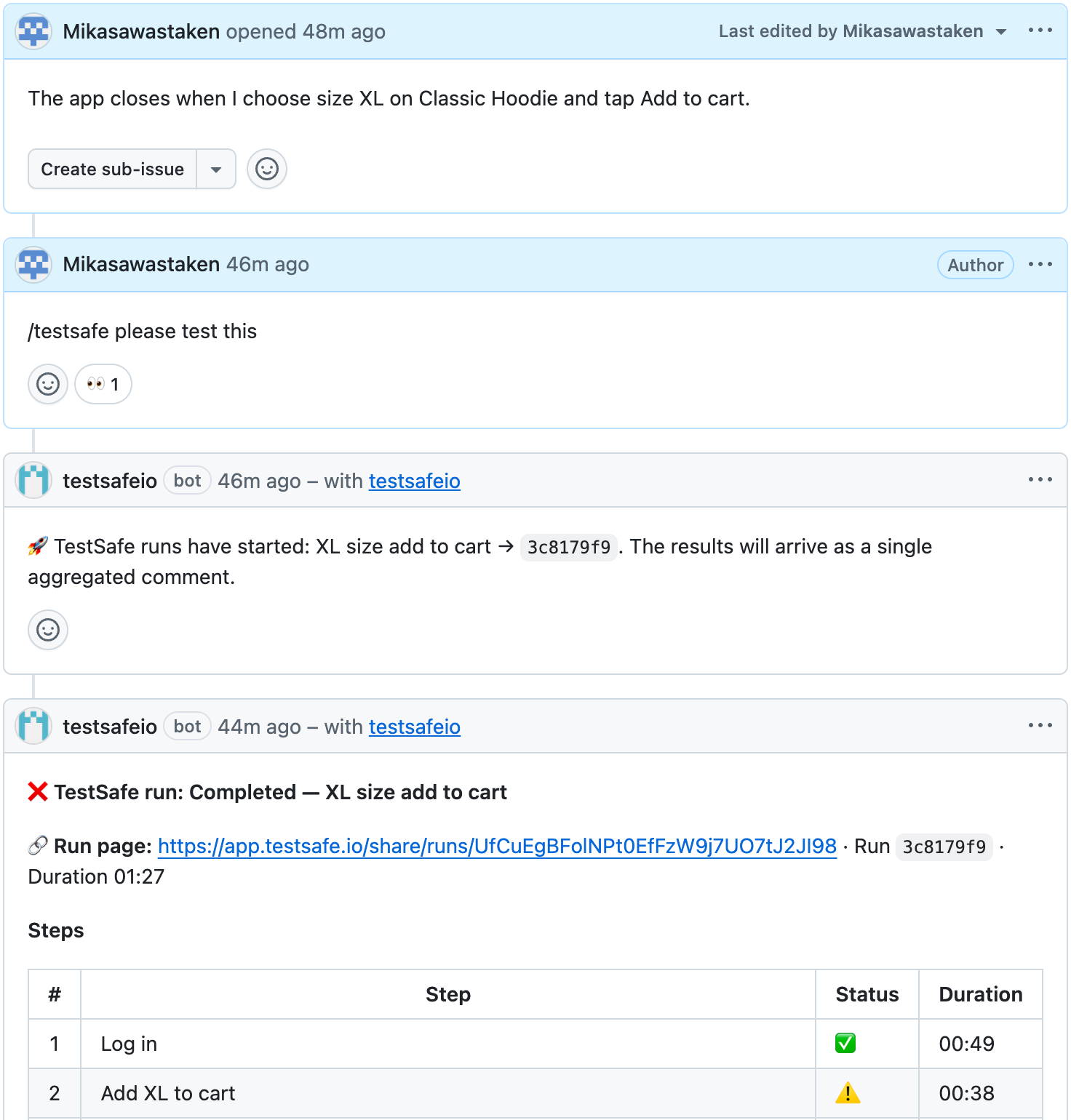
Write /testsafe in an issue or pull request comment, in your own words. The agent works out what to run. Only people who can write to the repo can start it.
Pull request
Check every pull request
The test runs each time a pull request gets new code. The result shows up among the pull request's checks. You choose which branches it watches.
Release
Test every new release
When you publish a release, TestSafe downloads that release's build and can add it to your app as a new version. If you want, the test starts right away.
Issue
Look into every new issue
When someone opens an issue, the agent tries what it describes on a device and writes what it found as a comment.
All results come back as one comment.
What runs
When a test starts, you pick what runs and on which phone
When a comment, a pull request or a new release starts a test, what runs is something you chose in advance. That can be a scenario you wrote before, or an agent that reads the issue and tests on its own.
- By default a fresh device opens for each test and is deleted when it ends
- Or the test uses an environment you already set up, started for the test and stopped afterwards
- If you leave the app empty, the app linked to the repo is tested
- 01
A scenario
One flow you wrote before, such as signing in or leaving a tip.
- 02
A workflow
A group of scenarios that run one after another, started with one click or by an event on GitHub.
- 03
A test the agent plans
The agent reads the issue or pull request and its comments, then decides what to try. You can add a note, such as which screen to focus on.
Slack
Test results go to the right team's channel
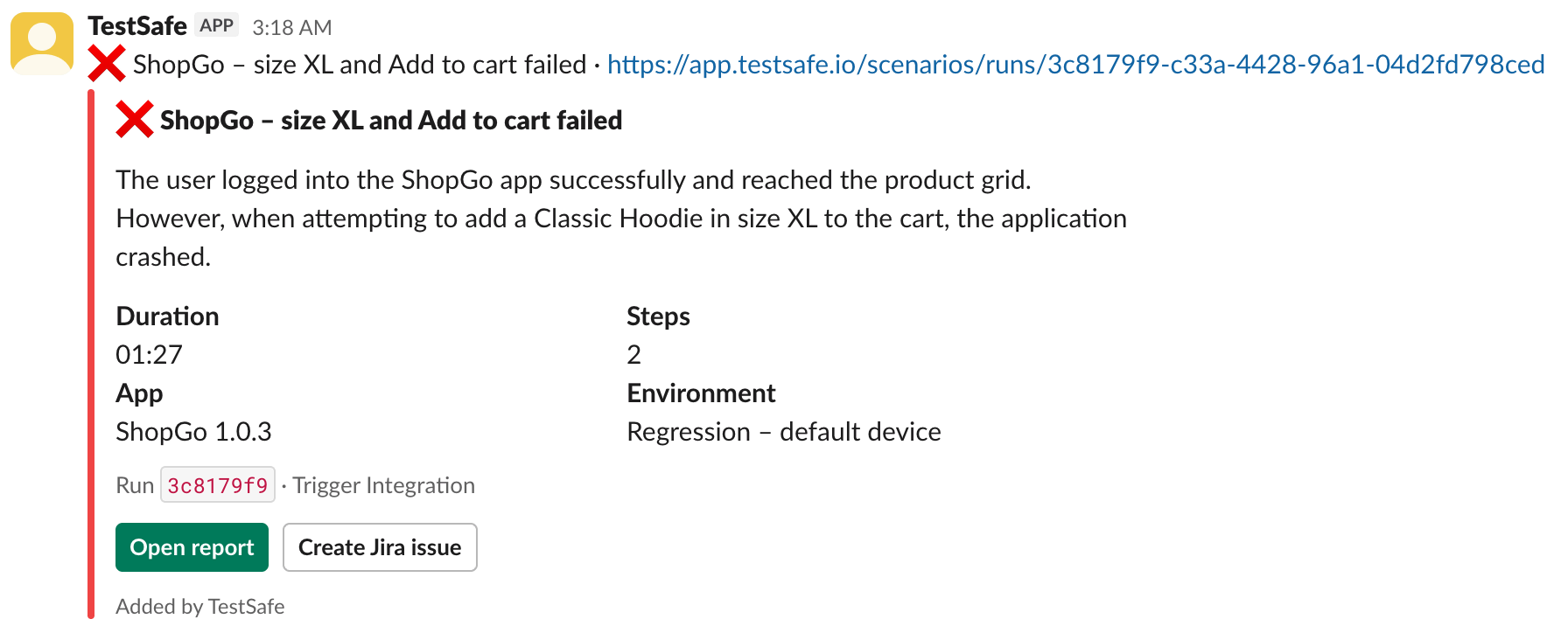
You write rules. A rule decides which events go to which channel, or to your own direct messages.
- Filter by scenario, workflow or app, or only your own tests
- Before and after images of the failing step go into the thread
- If the same test keeps failing, updates stay in one thread
- Start a test with /testsafe run and see what is running with /testsafe status
Jira
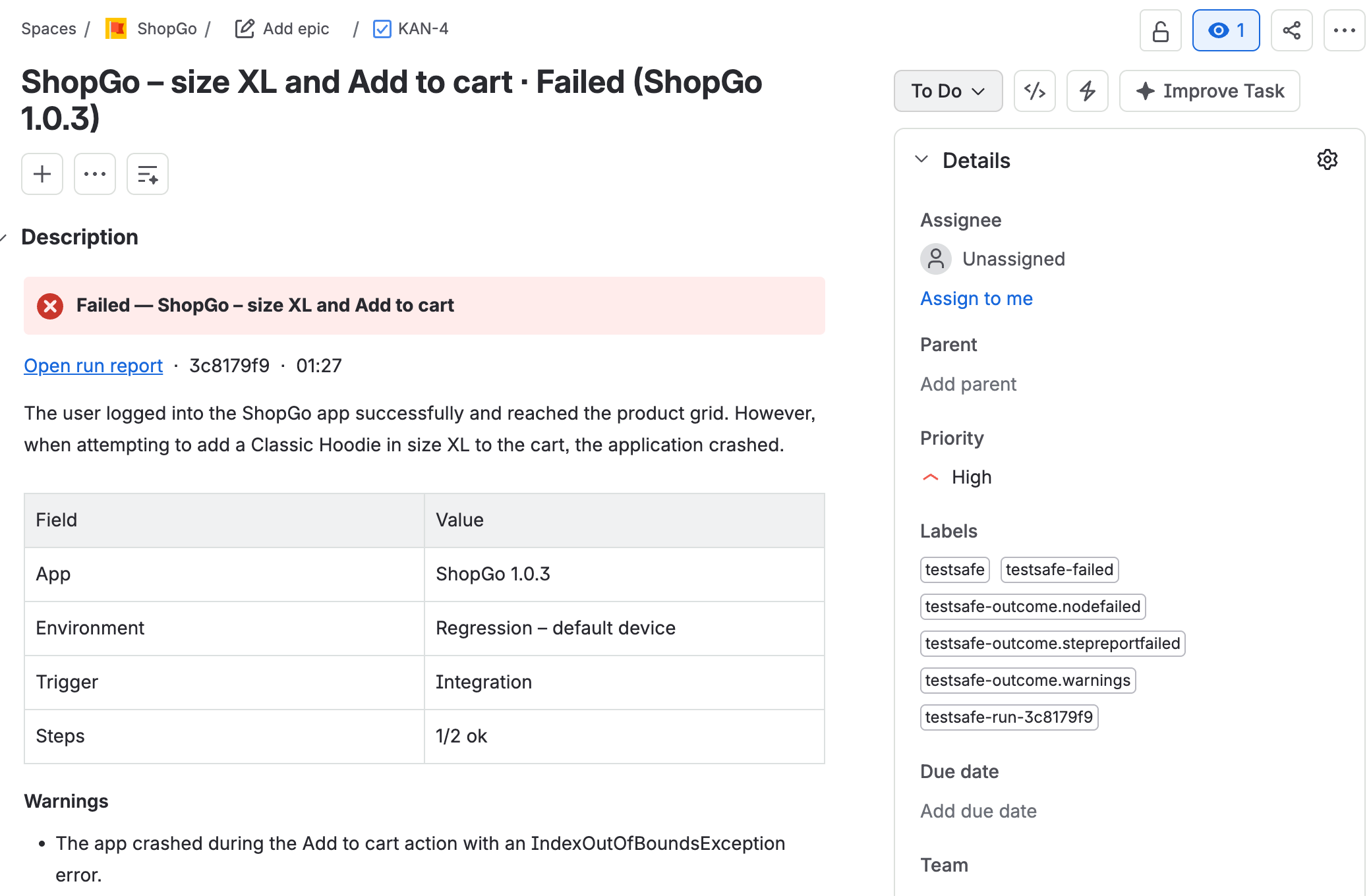
When a test fails, a Jira issue opens by itself
You choose which results open an issue. The issue arrives with its evidence attached, so nobody has to rebuild the bug from scratch.
- If it fails again, a comment goes to the same issue instead of a new one
- When the test passes again, the issue gets a note and can be closed
- Moving an issue to a status you pick, such as Ready for QA, starts a test
- Write /testsafe in a Jira comment to start a test
- Or open an issue by hand from any step of a report. The draft is written from the report
Setup
Connected in three steps
- 01
Connect
On the Integrations screen, press Connect next to GitHub, Slack or Jira and give access.
- 02
Pick what runs
Choose the scenario, the workflow or the agent's own test, and when it should start.
- 03
Read the result in place
The report arrives where your team is already looking, with its video.
Let's set it up together.
In a short call, tell us how your team works and we will connect GitHub, Slack or Jira with you.