Mobile apps
It uses your app the way a person would.
It signs up, searches, adds to the cart, tries the payment step and comes back from a notification. Where it got stuck, you see on video.
How a test is written
You write a sentence, the agent does the rest
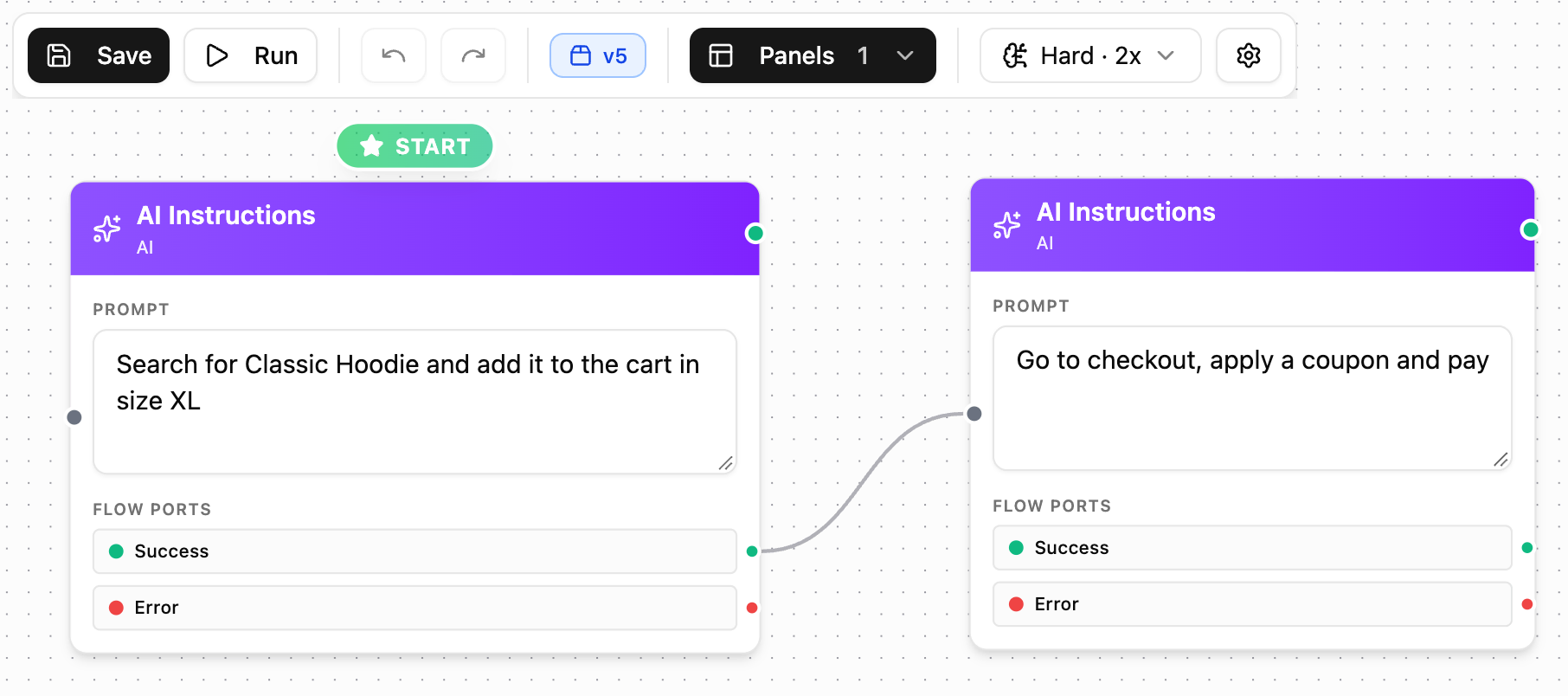
Each step is one instruction in plain words. The agent opens the app on an Android device, reads the screen and finds its own way to the goal.
- Each step ends in Passed or Failed, and you decide what happens next
- The agent reads what is on screen, so a moved button does not break the test
- The sentence stays the same when the screen is redesigned
Device conditions
What does your app do when the network drops?
Most bugs your users hit do not happen on a clean device. You set the state of the phone before the step that matters, and the agent keeps going from there.
See device conditions →- The network slows down or drops in the middle of the payment step
- The battery falls to 5 percent and the system warning covers the screen
- A call comes in, or an SMS arrives with a code in it
- The phone is in another language, or in another place on the map
When something breaks
You get the crash, not a red cross
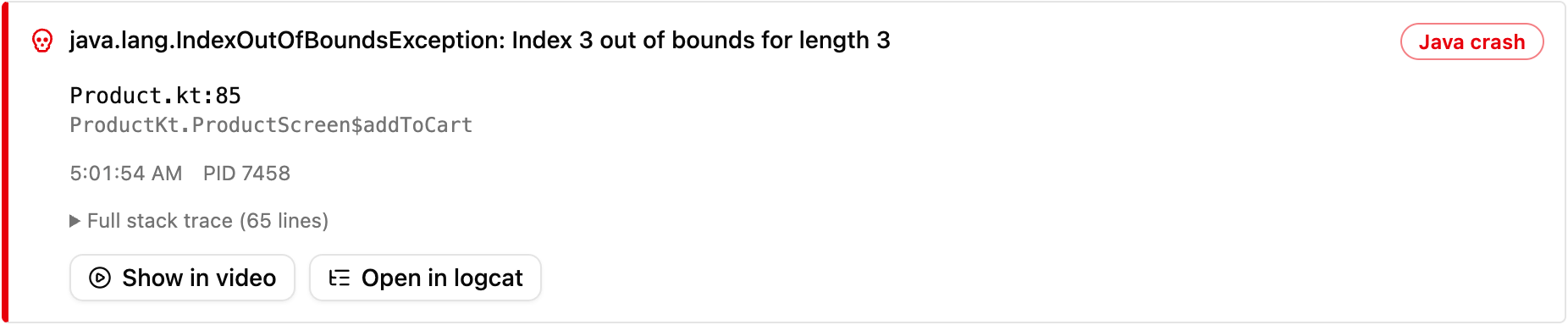
When the app closes, the report shows the error itself. Which file, which line, what second. Two buttons take you to that moment in the video and to the same moment in the device logs.
- The name of the error and the line of code it came from
- The step list, in the agent's own words
- One link to share the whole report with the team
Every release
It runs again on every version, without being asked
- 01
A new build
When a release is published on GitHub, the test starts with the new version.
- 02
A pull request
The same flows run on each pull request, and the result lands among its checks.
- 03
A bug report
Write /testsafe under an issue and the agent tries what is described on a device.